Smart home / interface
Your whole home. One clear view.
Lighting, temperature, blinds, security and utility use in one place. Below are example Home Assistant screens and scenes designed around everyday moments.
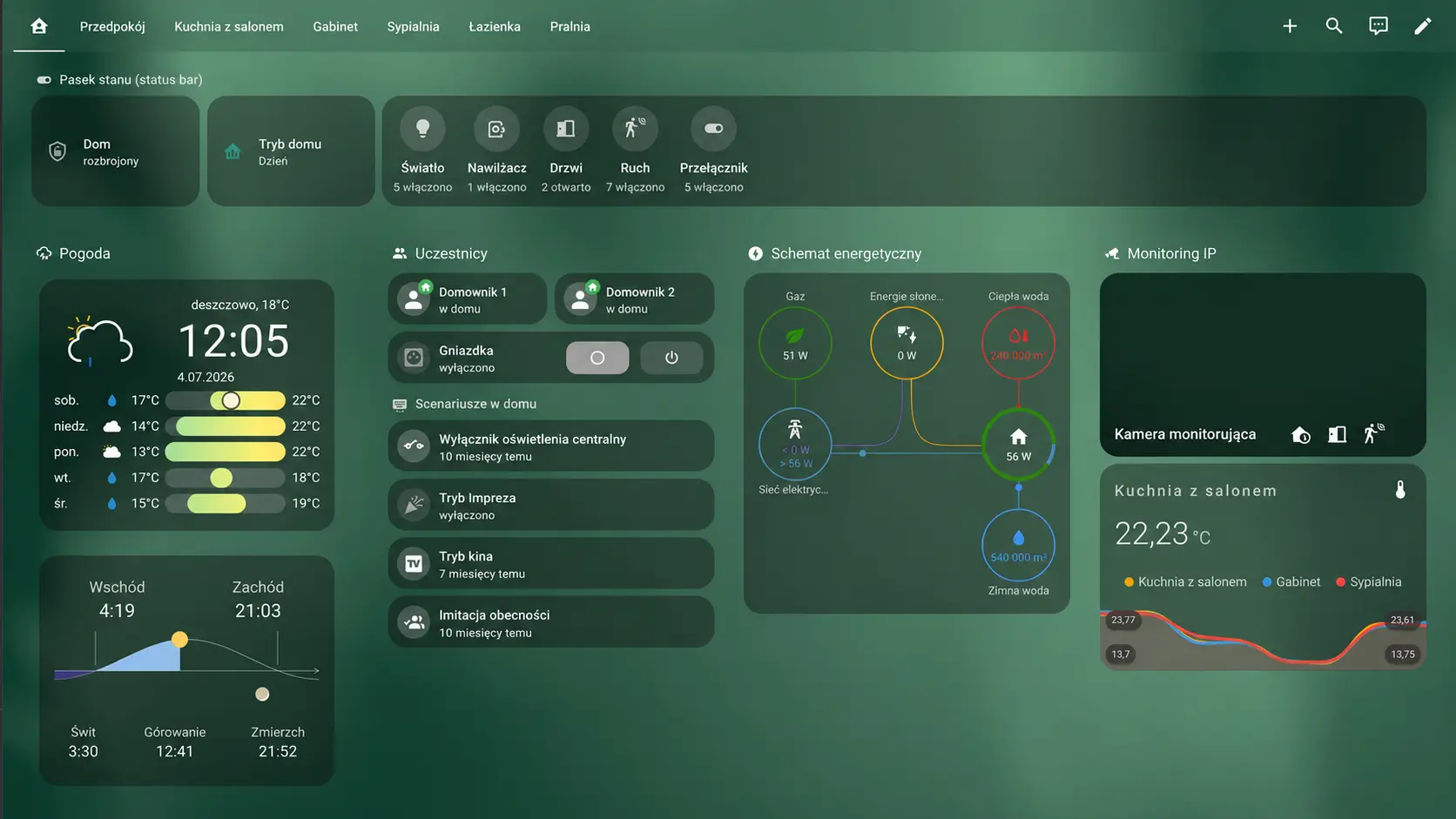
These are sample interface visuals; available functions depend on the project and connected devices.
One home · three moments
See your home shift with you.
Choose a moment. The floor plan shows the lighting change, while the other systems show how they could work together.
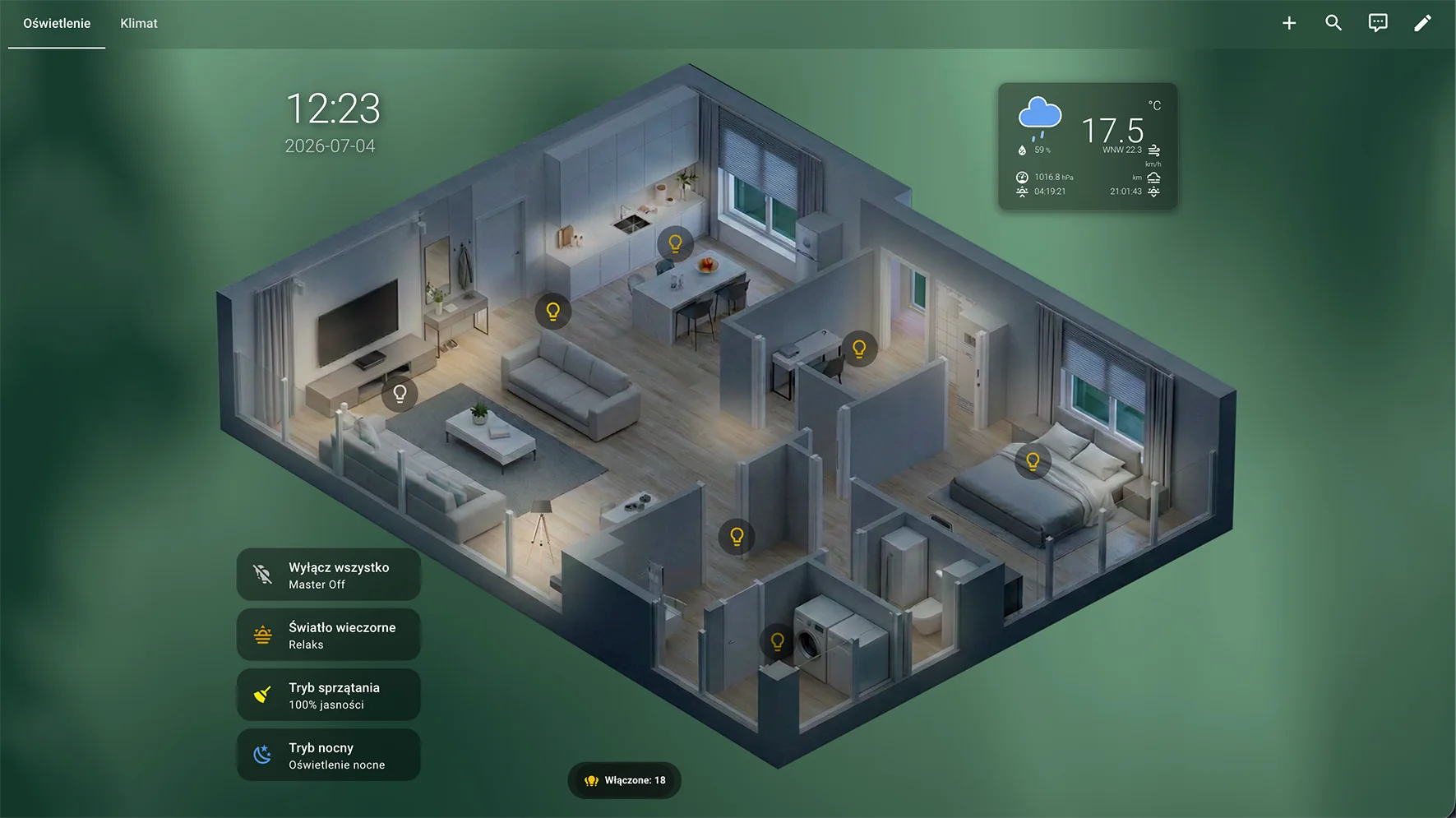
An evening at home. One scene makes the light comfortable, while other settings can follow your evening routine.
- Lighting
- Warm and soft
- Climate
- Evening comfort
- Blinds
- Privacy shading
- Sensors
- Monitoring on
Lighting and scenes
Set the mood with one tap.
Automatic brightness and colour temperature work with scenes that change the lighting across the whole home. Pick a scene to see it on the floor plan.
Comfort
Climate in every room.
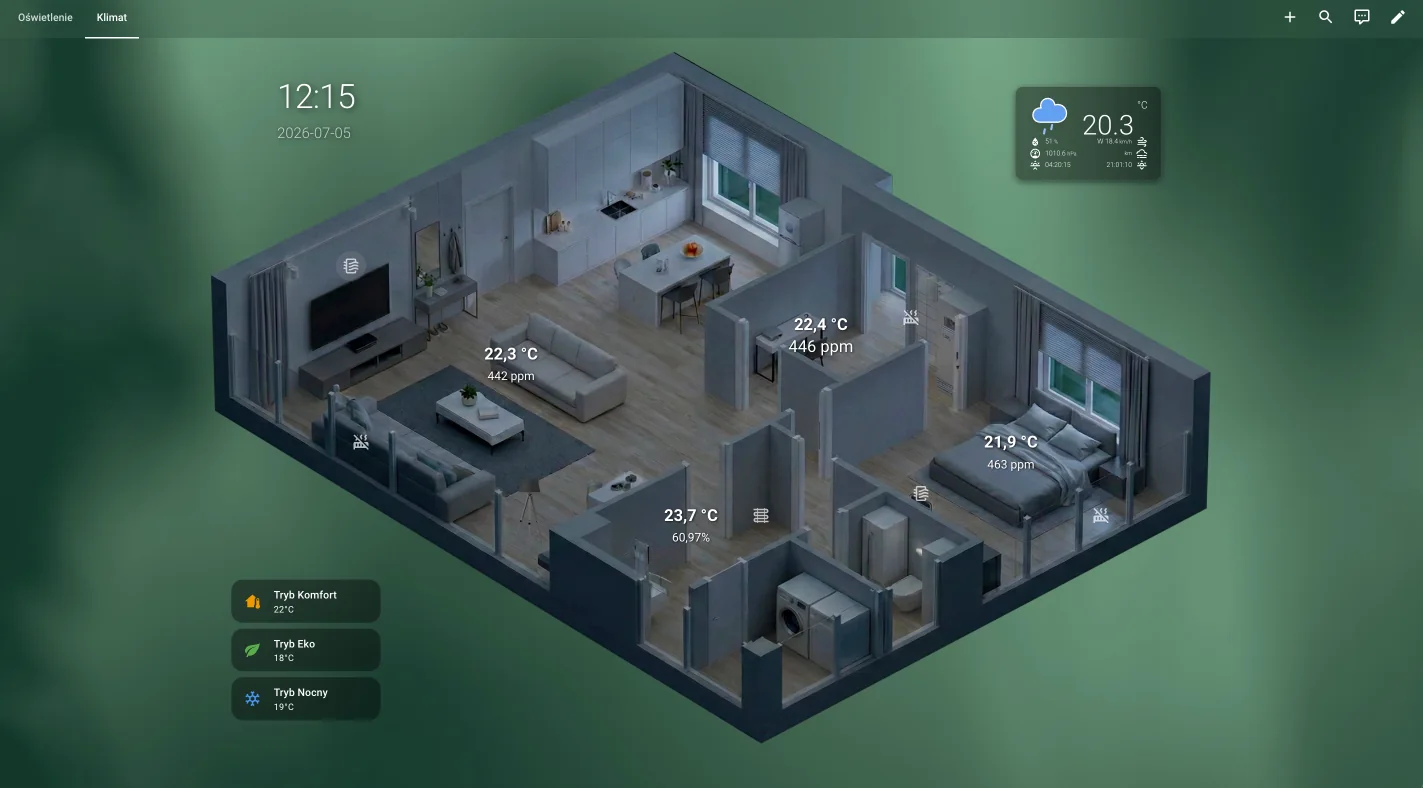
Temperature, ventilation and humidity can respond to time of day and the home’s mode. The screen shows separate zones and comfort settings.
Shading
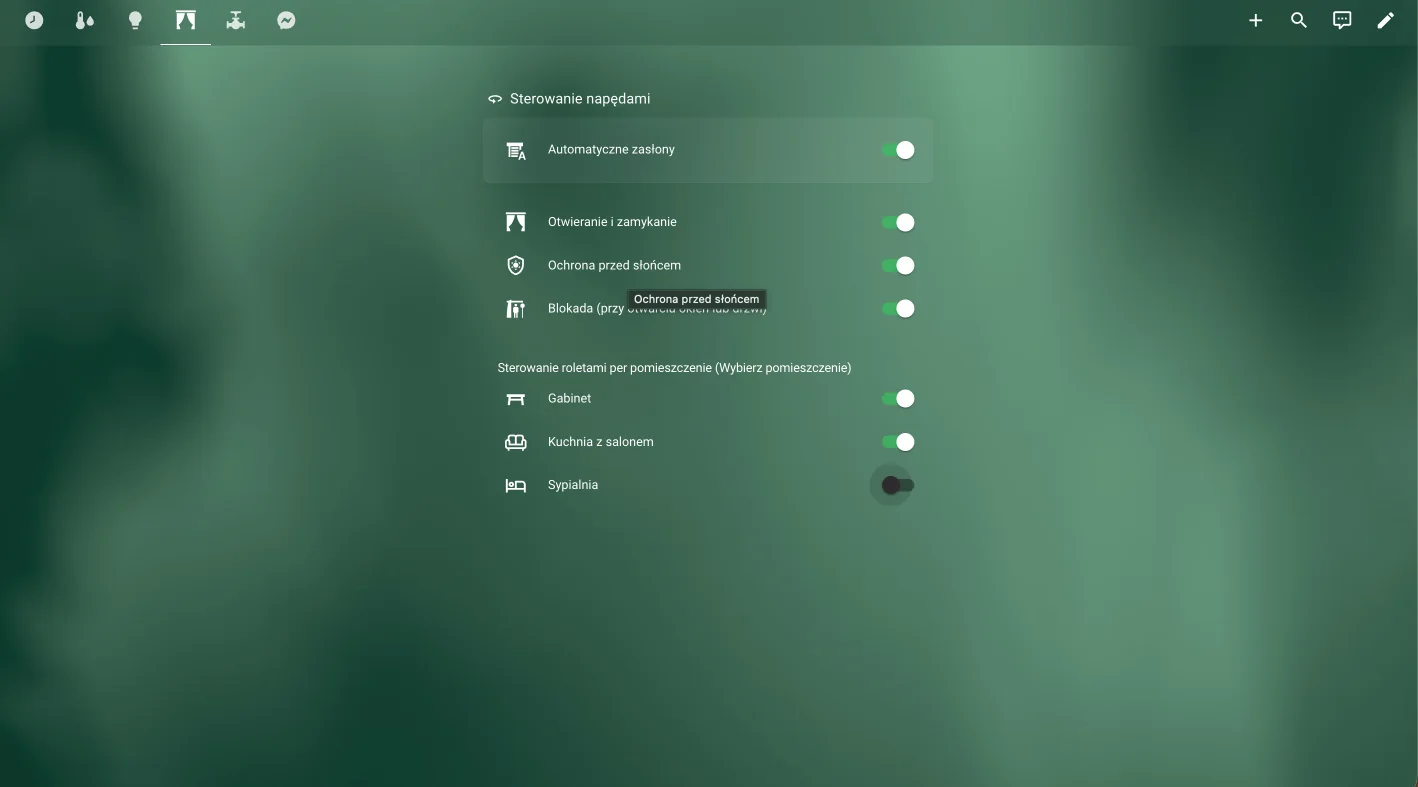
Blinds work with your home.
Blinds and drives can respond room by room, as well as to sunlight and occupancy scenes.
Protection and garden
Keep water under control.
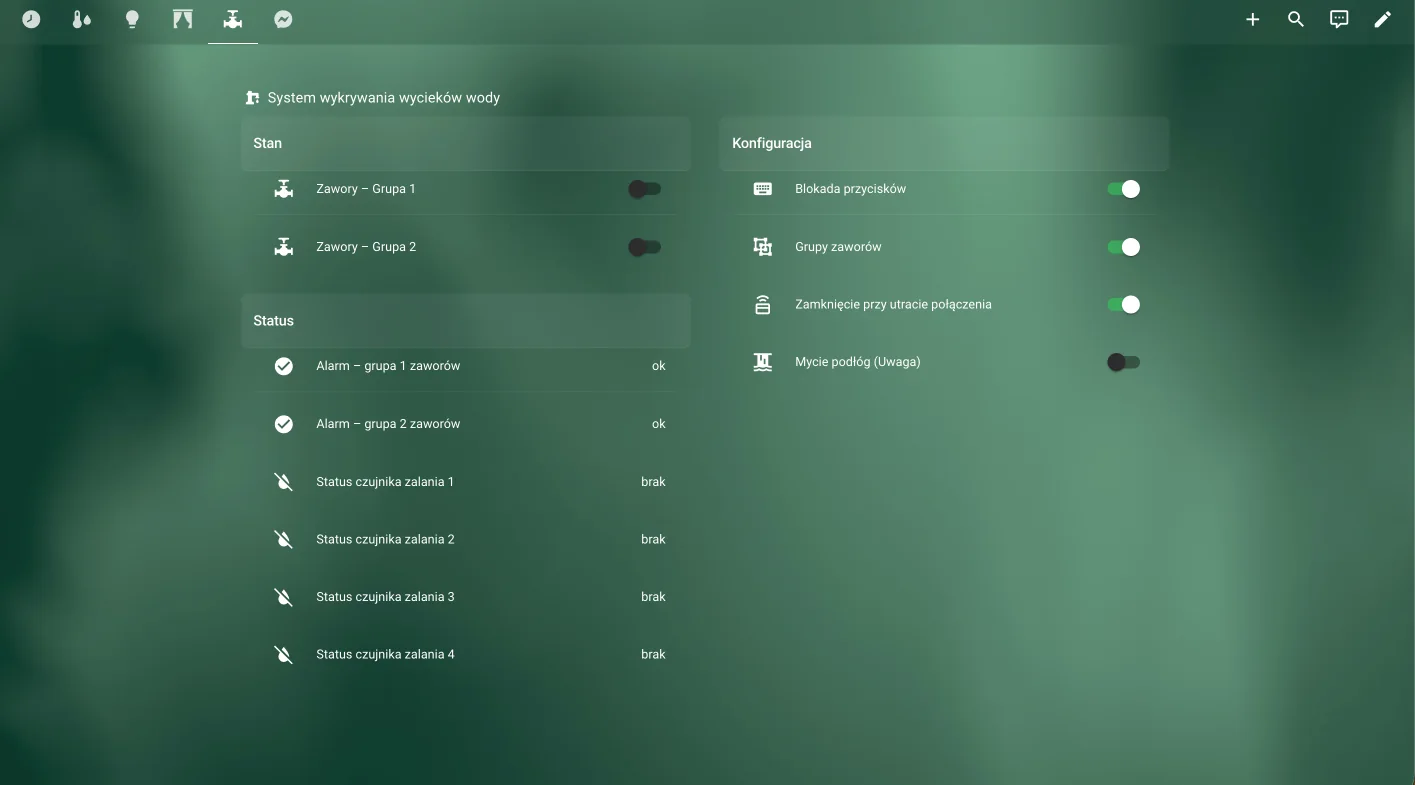
Leak sensors and valves help you respond quickly to a water leak. The project can also grow to include garden irrigation.
Safety
Important events reach you.
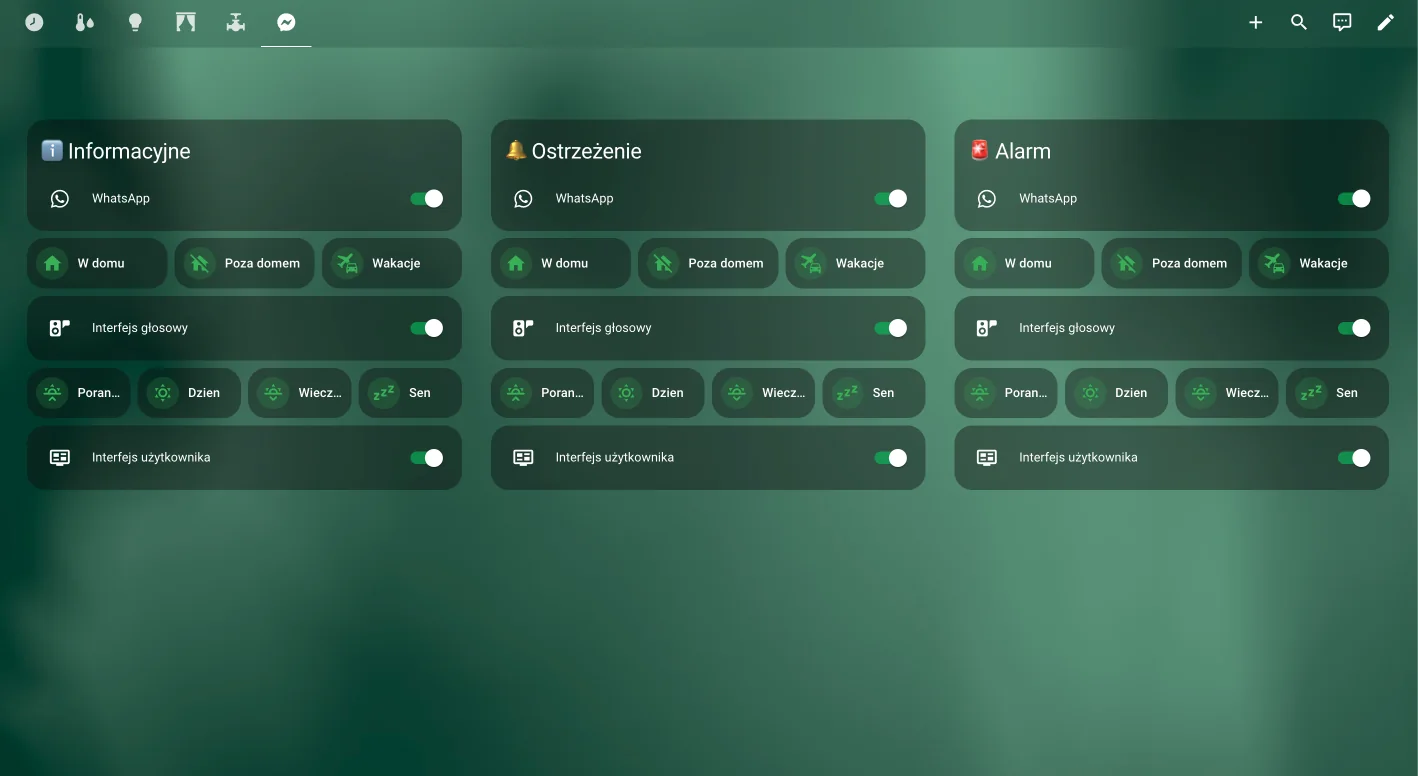
Information, warning and alarm notifications can follow the current home mode, so you know what needs attention and when.
Energy awareness
See where resources go.
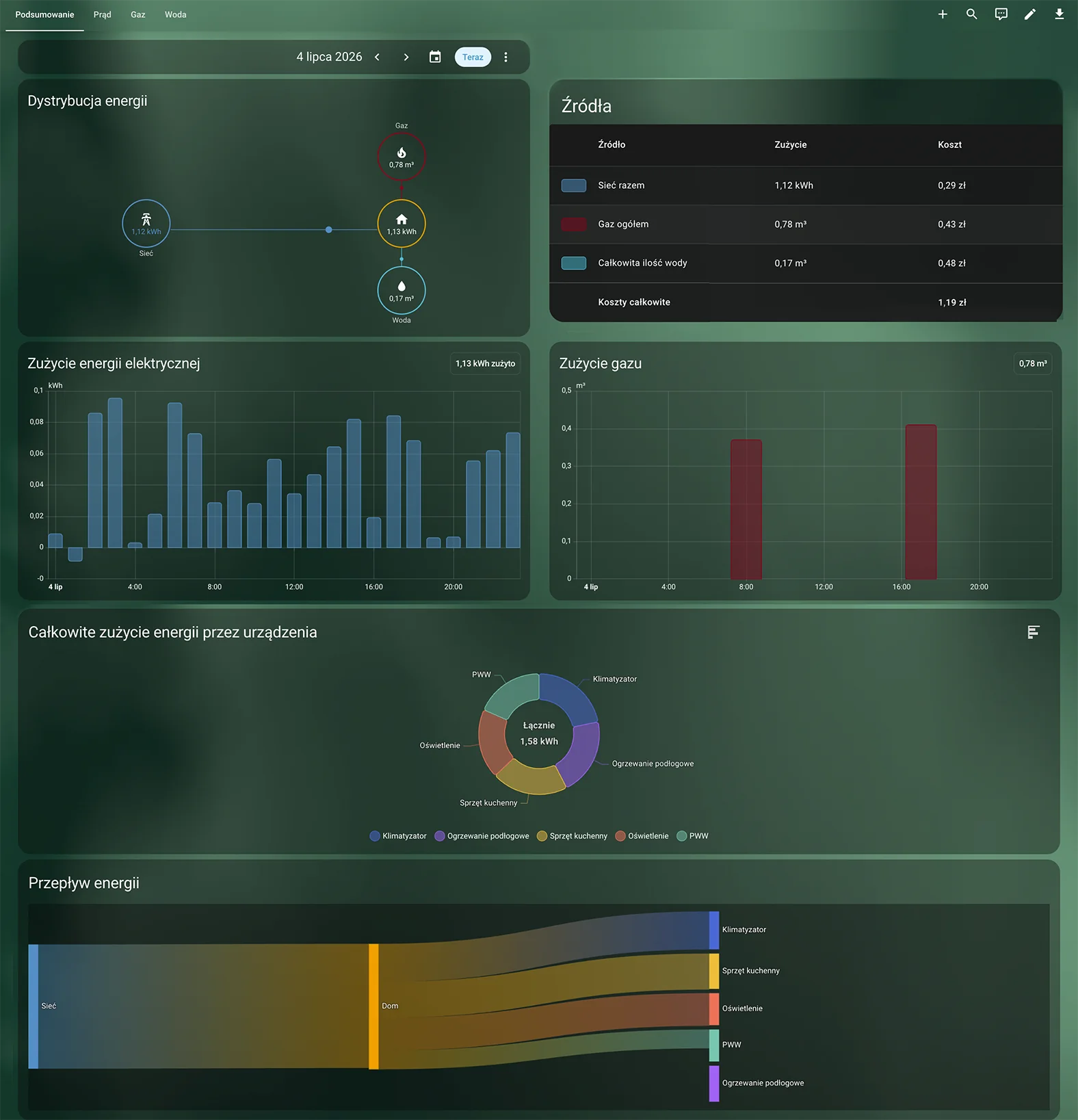
One view can bring together electricity, gas and water use, costs and history to help you understand your home and spot savings.
Smart home · IDLogic
Make your home work your way.
Every interface is designed around the space and the people who use it.
Discuss your project